Key takeaways
- Panel, not just resolution. QHD at 165 Hz is worth roughly $150–$250 more than FHD at 60 Hz in the same chassis. Check the refresh rate, the panel type (IPS or OLED, not TN), and the stated color coverage.
- Processor class. A U-series (15 W) chip is a different product from an H-series (45 W+) chip even when both say “Core i7” or “Ryzen 7.” For anything beyond Office and browsing, insist on H or HS.
- RAM: 16 GB minimum, 32 GB for editing. Windows plus a browser plus a game or editor will consume 12–14 GB routinely. Soldered 8 GB is a deal-breaker in 2026.
- Storage: 1 TB is the new baseline. A 512 GB drive costs about $40–$60 less at wholesale, so a “$100 off” deal on 512 GB is worth less than it looks. Prefer a machine with a second M.2 slot.
- Battery: compare watt-hours, not hours. Divide watt-hours by the number of hours claimed to sanity-check the claim. A 60 Wh battery claiming 12 hours implies 5 W average draw — possible idle, impossible working.
Best 17-Inch Laptop Deals: How to Sort the 2026 Bargains by Screen, Chip, RAM, and Real Discount
The best 17-inch laptop deals right now are on last-generation flagship-class machines: models with a 17.3-inch QHD or 4K panel, a current-or-one-generation-old H-series processor, 16 GB RAM, and a 1 TB SSD are routinely discounted 20–35% off list, which puts a genuinely good big-screen laptop in the $900–$1,400 range. If you want the single best value, target a 17.3-inch QHD 165 Hz panel with a Ryzen 7 or Core i7 H-series chip, 16 GB RAM, and 1 TB storage — that combination is where discounts are deepest because it is the configuration most often overstocked. The trick is knowing which specs are worth paying for and which discounts are cosmetic.
Quick comparison: the 17-inch bargain classes worth buying
Prices below are general U.S. market ranges for new units during promotional periods, not quotes from any single store.
Our top picks


As an Amazon Associate we earn from qualifying purchases at no extra cost to you.
| Pick | Best for | Key specs | Typical sale price | Usual list price |
|---|---|---|---|---|
| Best overall | One machine for work + gaming | 17.3″ QHD 165 Hz, Core i7-H or Ryzen 7-HS, 16 GB, 1 TB SSD, RTX 4060/5060-class | $1,100–$1,400 | $1,500–$1,800 |
| Best budget | Home office, spreadsheets, streaming | 17.3″ FHD IPS 60 Hz, Ryzen 5-U or Core i5-U, 16 GB, 512 GB SSD | $550–$750 | $750–$950 |
| Best for creators | Photo/video editing, color work | 17.3″ 4K or QHD+ OLED/IPS, 100% DCI-P3 claim, RTX 4070-class, 32 GB, 1 TB SSD | $1,500–$2,000 | $1,900–$2,500 |
| Best thin-and-light 17 | Travel where a 17″ screen is non-negotiable | 17″ QHD 120 Hz, Core Ultra 7 or Ryzen 7-U, 16 GB, 1 TB SSD, under 4.5 lb | $800–$1,100 | $1,050–$1,350 |
| Best clearance gaming | Maximum frames per dollar | 17.3″ FHD 144 Hz, prior-gen Core i7-H, 16 GB, 512 GB SSD, RTX 4050/4060-class | $700–$950 | $1,000–$1,300 |
Best overall: the QHD 165 Hz all-rounder
This is the configuration to hunt. A 17.3-inch QHD (2560×1440) panel at 165 Hz hits a sweet spot: sharp enough that text looks crisp at native scaling, fast enough for competitive games, and cheaper than 4K because the panel is a common panel-generation part. Pair it with an H-series chip and a 60-class discrete GPU and you have a machine that handles video calls, code, Lightroom, and modern games without throttling into uselessness.
Who it suits: someone replacing a desktop, or a student who wants one machine for four years. Main trade-off: these run 6–7 lb with the power brick, and battery life under load is realistically 2–3 hours; unplugged office work is more like 5–7 hours.
Best budget: the 60 Hz FHD workhorse
The budget tier is where 17-inch deals look best on paper and disappoint most in person. A 17.3-inch FHD (1920×1080) IPS panel at 60 Hz is perfectly good for documents, video, and browser tabs — but at that physical size, 1080p works out to roughly 127 pixels per inch, so fine text is noticeably softer than on a 14-inch 1080p screen. Buy it for the screen area, not the screen sharpness.
Who it suits: home office, accounting, retail point-of-sale, and anyone who wants a big canvas for two side-by-side windows. Main trade-off: U-series processors are fine for browsing and Office but will feel sluggish with heavy photo exports or dozens of browser tabs; also check that the RAM is socketed, not soldered, since many budget 17s ship 16 GB fixed.
Best for creators: the color-accurate 4K machine
For photo and video work, the panel matters more than the chip. Look for a stated 100% DCI-P3 or 100% Adobe RGB coverage figure per the manufacturer’s spec sheet, plus a factory calibration report in the box. A 4K 17.3-inch panel is about 255 pixels per inch, which means you can edit at 200% scaling and still see detail that a 1080p panel hides.
Who it suits: photographers, colorists, and video editors who deliver to clients. Main trade-off: price and battery. 4K panels typically cost 25–40% more than the QHD equivalent and cut unplugged runtime by roughly a third; on a 99 Wh battery (the maximum allowed on most commercial flights), expect about 4–5 hours instead of 7–8.
Best thin-and-light 17: portability without shrinking the screen
A handful of 17-inch chassis now come in under 4.5 lb with a 120 Hz QHD panel and a low-power chip. They are not gaming machines, but they are the only category where a 17-inch screen does not mean a 7 lb backpack.
Who it suits: consultants, students, and anyone who moves between rooms or offices daily. Main trade-off: thin 17-inch bodies sacrifice cooling headroom, so sustained heavy loads will throttle, and many have soldered RAM with no upgrade path.
Best clearance gaming: last year’s flagship, this year’s price
Gaming laptops depreciate faster than almost any other laptop category because GPU generations turn over quickly. A 17.3-inch FHD 144 Hz machine with a prior-generation H-series CPU and a 50/60-class GPU is often the lowest cost per frame on the market — frequently $700–$950 against a $1,000–$1,300 original list.
Who it suits: gamers who plug in at a desk and do not need thin-and-light. Main trade-off: loud fans, short battery life (often 2–4 hours of light use), and a 512 GB SSD that fills up fast once modern games weigh 80–150 GB each.
How to judge whether a 17-inch laptop discount is real
Advertised “40% off” figures are usually computed against a launch MSRP that nobody ever paid. Score the deal on the four numbers below instead.
- Panel, not just resolution. QHD at 165 Hz is worth roughly $150–$250 more than FHD at 60 Hz in the same chassis. Check the refresh rate, the panel type (IPS or OLED, not TN), and the stated color coverage.
- Processor class. A U-series (15 W) chip is a different product from an H-series (45 W+) chip even when both say “Core i7” or “Ryzen 7.” For anything beyond Office and browsing, insist on H or HS.
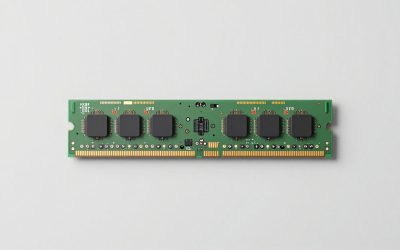
- RAM: 16 GB minimum, 32 GB for editing. Windows plus a browser plus a game or editor will consume 12–14 GB routinely. Soldered 8 GB is a deal-breaker in 2026.
- Storage: 1 TB is the new baseline. A 512 GB drive costs about $40–$60 less at wholesale, so a “$100 off” deal on 512 GB is worth less than it looks. Prefer a machine with a second M.2 slot.
- Battery: compare watt-hours, not hours. Divide watt-hours by the number of hours claimed to sanity-check the claim. A 60 Wh battery claiming 12 hours implies 5 W average draw — possible idle, impossible working.
A worked example: $150 off versus a genuinely better machine
Say Machine A is a 17.3-inch FHD 60 Hz, Ryzen 5-U, 16 GB, 512 GB at $700 (list $850). Machine B is a 17.3-inch QHD 165 Hz, Ryzen 7-HS, 16 GB, 1 TB at $1,000 (list $1,450). Machine A’s discount is $150; Machine B’s is $450. But the honest comparison is cost per useful year. Over a four-year ownership window, Machine A costs $175/year and will need an external drive for its 512 GB; Machine B costs $250/year, needs no add-ons, and still games and edits in year four. Per year the gap is $75 — roughly the price of one game and a USB SSD. On that math, the bigger discount is not automatically the better deal.
What actually wears out on a 17-inch laptop
Big laptops fail in predictable places, and knowing this changes which discount is worth taking.
- Hinges first. A 17-inch lid is a long lever. Hinges on large chassis typically loosen or crack at the 3–4 year mark, and they are the single most common mechanical failure. Open the lid from the center, not a corner.
- The battery, predictably. Lithium-ion packs lose roughly 20% capacity after 300–500 full cycles. A gaming 17 with a 60 Wh battery under heavy load can burn a full cycle in under three hours, so heavy users hit that in 12–18 months.
- Thermal paste and dust. Vents and heatsinks clog in 12–24 months in a pet household. Blowing out the intakes every six months and repasting at year three can recover 5–10 °C, which is often the difference between throttling and not.
- The keyboard and palm rest. On gaming models, the WASD cluster and the wrist area wear shiny before anything electronic fails. A $20 skin is cheaper than a chassis replacement.
- Common mistake: buying 8 GB RAM to save $50. It is the most expensive $50 you can save on a machine you intend to keep three years.
Frequently Asked Questions
Is a 17-inch laptop too big to carry daily?
It depends entirely on weight class. Gaming 17s run 6–7 lb plus a 1–1.5 lb power brick, which most people find genuinely unpleasant for a daily commute. Thin-and-light 17s under 4.5 lb, with a smaller USB-C charger, are comparable to a 15-inch gaming laptop and are manageable. If you carry it every day and walk more than about 15 minutes, prioritize the sub-4.5 lb category or drop to 16 inches.
Do 17-inch laptops have worse battery life than smaller ones?
Usually, yes, but mostly because they are configured differently rather than because of the screen. A larger panel draws more power, and 17-inch machines are more often fitted with high-wattage H-series chips and discrete GPUs. Two 17-inch laptops can differ by a factor of three in runtime — a 120 Hz QHD ultraportable might last 8–9 hours of light work, while a 165 Hz gaming model lasts 3–4. Compare watt-hours and panel refresh rate, not screen size.
Is 4K worth it on a 17-inch screen?
For general use, no — QHD is the better value and easier on battery. For photo and video editing, yes, because the extra resolution lets you view footage at 100% and still have room for toolbars, and 4K panels on 17-inch machines are usually the ones with measured wide-gamut coverage. If you are not delivering color-critical work, put the money into RAM and storage instead.
How much RAM do I need in a 17-inch laptop in 2026?
16 GB is the practical minimum and covers browsing, Office, video calls, and most games. Go to 32 GB if you edit 4K video, work with large photo catalogs, run virtual machines, or keep dozens of browser tabs open alongside an editor. 8 GB is only defensible on a strictly single-purpose machine and is best avoided if the RAM is soldered.
When do 17-inch laptops go on sale most deeply?
The steepest discounts land when a new processor or GPU generation ships and retailers clear the outgoing stock — often within a few months of a launch cycle. Back-to-school and late-November promotional periods also produce real cuts, but those tend to be shallower than clearance pricing. The largest genuine discounts are almost always on the previous generation, not the current one.
Should I buy a 17-inch laptop with a discrete GPU if I do not game?
Only if you edit video, work with 3D, or use GPU-accelerated creative tools. A discrete GPU adds weight, heat, fan noise, and roughly $200–$400 to the price, and it reduces battery life substantially when active. For documents, browsing, and streaming, an integrated GPU with a good QHD panel is the better allocation of budget.