
Key takeaways
- Best overall for everyday backup: Seagate 2TB Portable Hard Drive — A practical capacity and familiar USB 3.0 portable-HDD format for routine file storage.
- Best compact file-transfer drive: UnionSine 500GB Ultra Slim Portable External Hard Drive — Its ultra-slim design is suited to carrying a relatively small collection of documents and other files.
- Best for speed: SanDisk 2TB Extreme Portable SSD — The listed read speed of up to 1050MB/s makes it the performance-oriented choice in this group.
- Best smaller console and backup option: Seagate Portable 1TB External Hard Drive — Its listing identifies support for PC, Mac, PlayStation, and Xbox, along with a 1-Year Rescue Service.
- Best rugged field option: LaCie Rugged USB-C 4TB — Drop, shock, dust, and rain resistance make it the clearest choice for travel and outdoor work.
- Best for a large media library: Seagate Portable 4TB External Hard Drive — A high-capacity portable HDD with USB 3.0 and stated PC, Mac, Xbox, and PlayStation compatibility.
- Best high-capacity Seagate portable drive: Seagate Portable 5TB External Hard Drive — Its 5TB capacity is appropriate for large backups, video collections, and console storage.
- Best straightforward Windows and Mac backup drive: WD 5TB Elements Portable — Plug-and-play positioning, USB 3.2 Gen 1/USB 3.0, and 5TB capacity suit uncomplicated computer backups.
The best external hard drive depends on whether you prioritize capacity, portability, speed, durability, or compatibility. Mechanical portable HDDs generally make the most sense for backups, photo libraries, video archives, and game storage because they provide substantial capacity in a compact enclosure. A portable SSD is the better fit when you regularly move large files, edit media directly from the drive, or need a quieter and more shock-resistant device.
Among the products in this guide, the Seagate 2TB Portable Hard Drive is the most straightforward choice for general-purpose backup, while the SanDisk 2TB Extreme Portable SSD is the speed-focused option. The LaCie Rugged USB-C 4TB is designed for people who work in less controlled environments, and the larger Seagate and Western Digital HDDs are better suited to sizable media collections and recurring backups. The compact UnionSine model serves a narrower role: carrying smaller file sets when a slim enclosure matters more than long-term capacity.
Our top picks





As an Amazon Associate we earn from qualifying purchases at no extra cost to you.
Updated October 2026 — The best hard drive for most people is a 2TB to 5TB portable USB hard drive for backups, plus a portable SSD if you edit or move large files often. Our top three: the Seagate Portable 2TB (STGX2000400) for everyday backup, the WD 5TB Elements Portable (WDBU6Y0050BBK) for the most portable capacity, and the Samsung T7 Portable SSD 2TB for speed. Need 10TB or more? Go desktop, such as the Seagate Expansion Desktop 16TB. Need the fastest portable drive? The Samsung T9 reads up to 2,000 MB/s.
Quick Answer
- Best overall for everyday backup: Seagate 2TB Portable Hard Drive — A practical capacity and familiar USB 3.0 portable-HDD format for routine file storage.
- Best compact file-transfer drive: UnionSine 500GB Ultra Slim Portable External Hard Drive — Its ultra-slim design is suited to carrying a relatively small collection of documents and other files.
- Best for speed: SanDisk 2TB Extreme Portable SSD — The listed read speed of up to 1050MB/s makes it the performance-oriented choice in this group.
- Best smaller console and backup option: Seagate Portable 1TB External Hard Drive — Its listing identifies support for PC, Mac, PlayStation, and Xbox, along with a 1-Year Rescue Service.
- Best rugged field option: LaCie Rugged USB-C 4TB — Drop, shock, dust, and rain resistance make it the clearest choice for travel and outdoor work.
- Best for a large media library: Seagate Portable 4TB External Hard Drive — A high-capacity portable HDD with USB 3.0 and stated PC, Mac, Xbox, and PlayStation compatibility.
- Best high-capacity Seagate portable drive: Seagate Portable 5TB External Hard Drive — Its 5TB capacity is appropriate for large backups, video collections, and console storage.
- Best straightforward Windows and Mac backup drive: WD 5TB Elements Portable — Plug-and-play positioning, USB 3.2 Gen 1/USB 3.0, and 5TB capacity suit uncomplicated computer backups.
How We Compared This Guide
This guide compares the published information available for each product, including capacity, drive type, interface references, compatibility claims, ruggedness descriptions, stated recovery-service coverage, and the manufacturer model identifiers where provided. It does not treat the maximum interface or read-speed figure as a guarantee of the performance every computer will deliver.
The comparison also separates mechanical HDDs from solid-state storage rather than judging them by one standard. An HDD can be the more sensible choice for large, infrequently accessed archives, while an SSD can justify its higher purchase cost for active projects and frequent transfers. Compatibility claims should still be checked against the computer, console, operating system, cable, and file system you plan to use.
Some specifications are not available in the available product information. That means this guide does not assign unsupported ratings for warranty length, drop height, encryption, water-resistance level, dimensions, weight, platter speed, cache, or sustained write performance. Check the current product page and manufacturer documentation for those details before ordering, particularly when a specific protection rating or recovery benefit is important to you.
How to Choose an External Hard Drive
1. Choose an HDD or SSD Based on the Workload
The first decision is the storage technology. Portable HDDs use spinning platters and a mechanical read/write mechanism. They are generally selected when capacity and ordinary backup use matter more than maximum transfer speed. The Seagate, UnionSine, LaCie, and WD products in this roundup are identified as external hard drives or HDDs.
Portable SSDs use flash storage and have no spinning platters. The SanDisk product is the SSD in this selection and lists read speeds up to 1050MB/s. That makes it the natural candidate for active projects, large file handoffs, and workflows where waiting for transfers is disruptive. SSDs are also silent during operation and are less vulnerable to damage from movement than mechanical drives, although an SSD still needs physical protection from impact, moisture, heat, and loss.
- Choose an HDD for desktop backups, media archives, secondary copies, and large collections that are not edited constantly.
- Choose an SSD for frequent transfers, portable editing, quiet operation, and travel where vibration and movement are common.
- Do not assume that a USB 3.0 label makes an HDD as fast as an SSD. The drive mechanism can remain the limiting factor.
2. Match Capacity to the Files You Actually Keep
Capacity should reflect both your current library and the amount you expect to add before replacing the drive. The products here range from 500GB to 5TB, giving the lineup distinct use cases. A 500GB drive can be adequate for documents, schoolwork, photos in moderation, and temporary file handoffs. It becomes restrictive when used for game installations, raw photographs, high-resolution video, or a full computer image.
The 1TB and 2TB options are more flexible for ordinary personal backups and mixed file collections. A 4TB or 5TB drive is more appropriate when you are consolidating multiple computers, retaining several years of photographs, or storing a large video and music library. Buying too little capacity creates a recurring cycle of replacing drives and reorganizing files; buying far more than you can protect and manage can also be wasteful.
Leave working headroom rather than filling a drive to its final few gigabytes. Operating systems, backup software, temporary exports, and file-system overhead all need room. For a backup drive, also remember that one copy is not a complete backup strategy. A second copy stored separately is more valuable than using every last bit of one device.
3. Understand USB Labels and Real-World Speed
Most products in this roundup use USB 3.0, while the WD Elements listing references USB 3.2 Gen 1/USB 3.0. These labels describe the connection standard, not a guaranteed transfer rate from the storage device. The computer port, cable, operating system, file sizes, drive technology, and amount of free space can all affect results.
Large sequential files, such as video exports, are usually transferred differently from thousands of small documents. A portable HDD may appear responsive when copying a few files but take much longer during a large, sustained operation. An SSD with a listed read speed of up to 1050MB/s can be a much better match for speed-sensitive work, but the host computer and cable must support the relevant connection capabilities. The listing’s “up to” figure should be treated as a ceiling under suitable conditions, not a promise for every task.
- Confirm that your computer has a compatible USB port and that the included or replacement cable matches the connector on the drive.
- Check whether your workflow is dominated by large sequential files or many small files.
- Do not pay for performance you will not use if the drive will run an occasional overnight backup.
- Do not buy an HDD for active editing solely because its USB label resembles that of a faster SSD.
4. Check Computer, Console, and File-System Compatibility
A drive can be physically compatible with a device but still require reformatting before it works as expected. The Seagate 1TB listing identifies PC, Mac, PlayStation, and Xbox support, while the 4TB and 5TB Seagate listings also identify broad computer and console compatibility. The WD listing describes plug-and-play readiness for Windows and identifies USB 3.2 Gen 1/USB 3.0 connectivity. These descriptions are useful starting points, but they do not eliminate the need to check the exact device requirements.
Windows and macOS can use different default file systems, and a format that works well for one system may not provide full read-and-write access on another without additional software. Reformatting normally erases existing data, so perform it before transferring files. Console storage can have additional requirements, including how the console formats the drive and whether a drive can store games, media, or only certain content.
Also check whether your computer supplies sufficient power through its USB port and whether the drive needs a particular cable or adapter. A USB-C computer may still require the correct cable for a drive with a different connector. Compatibility claims are not a substitute for verifying the ports and operating-system version on your own equipment.
5. Consider Protection for Travel and Field Work
External drives are easy to carry, but portability also exposes them to drops, pressure in a backpack, cable strain, dust, and moisture. Mechanical HDDs are especially poor candidates for careless handling while spinning or transferring data. A padded case and safe-ejection habits can reduce risk, but they do not turn a standard enclosure into a rugged one.
The LaCie Rugged USB-C 4TB is the only product in this lineup whose product name explicitly identifies drop, shock, dust, and rain resistance. That makes it the strongest match for outdoor work, travel, and production environments where the enclosure may face conditions beyond a desk. Confirm the current documentation for the exact protection conditions and limitations; resistance claims do not mean the drive is indestructible or suitable for immersion.
The SanDisk SSD may be attractive for travel because flash storage has no moving platters, and its listing title names IP65 water and dust resistance, but confirm the rating on the live page before relying on it. Do not infer a formal water or drop certification from an SSD label alone. For any portable drive, use a case, avoid connecting it in wet conditions, keep it away from extreme heat, and never disconnect it while data is being written.
6. Treat Recovery Services as a Safety Net, Not a Backup
A recovery service can be valuable if a drive fails, but it is not equivalent to maintaining another copy of your files. The Seagate 1TB, 4TB, and 5TB listings identify a 1-Year Rescue Service. Review the current terms carefully, including the eligibility period, whether the service covers one recovery event or another defined scope, shipping responsibilities, and whether recovered data is returned on a replacement device or another medium.
The available information does not identify a comparable recovery service for every product in the lineup. Do not assume that two drives from the same category provide identical coverage. Check the model-specific warranty and service documentation, especially when the drive will hold irreplaceable photographs, business documents, or original creative files.
The safest approach is the familiar three-copy principle: retain the working files, maintain a local backup, and keep another copy in a different location or service. A recovery program may improve your options after a failure, but it cannot guarantee that every file will be recoverable and cannot protect against theft, accidental deletion, ransomware, or a fire affecting all copies in one place.
7. Balance Physical Size Against Capacity and Protection
Small drives are convenient, but an ultra-slim enclosure may not be the best choice for every role. The UnionSine listing emphasizes an ultra-slim design, making it appealing for a pocket, briefcase, or quick file handoff. Its 500GB capacity, however, is better suited to smaller collections than to a long-term media archive.
Higher-capacity portable HDDs can still be easy to carry, but they need more deliberate storage in a bag because mechanical components are sensitive to impacts and movement. Rugged enclosures can add bulk in exchange for protection. A USB-C connection can also simplify use with newer laptops, as seen in the LaCie product name, but verify the connector and cable arrangement before assuming it will connect directly to every device.
Think about the entire carrying setup, not just the drive’s advertised dimensions. Include a protective case, cable, adapter, and the space needed to keep the drive from being crushed. A drive that is technically portable but routinely exposed to pressure or loose objects may not last as long as one carried in a dedicated pouch.
8. Avoid Common External-Drive Mistakes
- Using one drive as the only copy: A portable drive can fail, be lost, or be damaged. Maintain another copy of important files.
- Ignoring formatting: Confirm the file system and reformat before loading data. Reformatting generally deletes the contents.
- Confusing capacity with speed: A larger HDD provides more room, not necessarily faster transfers.
- Buying for a theoretical maximum: Interface and read-speed figures depend on the host port, cable, workload, and storage technology.
- Disconnecting without ejecting: Removing a drive during a write can corrupt files or the file system.
- Using a standard drive outdoors without protection: Keep ordinary enclosures away from rain, dust, and impacts unless the manufacturer specifically documents resistance.
- Failing to verify console requirements: Check the console’s supported capacity, formatting process, and intended use before moving a game library.
- Filling the drive completely: Leave room for temporary files, backup versions, and normal operating overhead.
External Hard Drive Speeds by USB Tier
| USB label | Link speed | Typical drive type | Maker-listed drive speed | Example in this guide |
|---|---|---|---|---|
| USB 3.0 / USB 3.2 Gen 1 | 5 Gbps | Portable HDD | about 130 MB/s (WD_BLACK P10) | Seagate Portable, WD Elements, WD_BLACK P10 |
| USB 3.2 Gen 2 | 10 Gbps | Portable SSD | up to 1,050 MB/s | Samsung T7, SanDisk Extreme |
| USB 3.2 Gen 2×2 | 20 Gbps | Fast portable SSD | up to 2,000 MB/s | Samsung T9 |
| USB4 / Thunderbolt | 40 Gbps | Premium SSD | about 3,000–4,000 MB/s class | not in this guide |
The rule of thumb: a spinning portable hard drive cannot use more than a small slice of even a 5 Gbps port, so a faster port does nothing for it. An SSD only reaches its rated speed when the computer port supports the same tier. Many PCs lack USB 3.2 Gen 2×2, and Macs do not support it at all; on a Mac the Samsung T9 runs at 10 Gbps speeds, roughly the same as a T7.
Detailed product breakdowns
1. Seagate 2TB Portable Hard Drive | USB 3.0 (STGX2000400)
The Seagate STGX2000400 is a conventional portable hard drive intended for users who want a straightforward external storage destination. Its listed capacity is 2TB, and it connects through USB 3.0. That combination makes it suitable for general file storage, routine backups, photo libraries, and moving folders between compatible computers. Because the listing does not identify a solid-state design, buyers should treat this as a mechanical hard drive rather than an SSD.
The main appeal is the balance between usable capacity and uncomplicated connectivity. A 2TB drive can accommodate substantially more documents, photos, downloaded media, and project files than a small flash drive. USB 3.0 is also widely supported, although the actual transfer rate depends on the drive mechanism, the computer’s port, the cable, file sizes, and whether the drive is handling many small files or a few large ones.
Key specifications from the available data:
- Capacity: 2TB.
- Drive type: The listing identifies it as a portable hard drive; verify whether the current package specifies a mechanical HDD and check the exact hardware revision.
- Connection: USB 3.0.
- Model: STGX2000400.
- Form factor: Portable external drive, with the exact dimensions and weight to be verified before purchase.
Strengths: The 2TB capacity is practical for everyday backup and general-purpose storage. USB 3.0 provides a broadly compatible connection for many PCs and other devices. A traditional portable HDD can be a sensible choice when capacity matters more than the speed, silence, and impact tolerance associated with an SSD.
Trade-offs: The available data does not provide a stated read speed, write speed, rotational speed, cache size, warranty term, included software, encryption, or data-recovery service. Those omissions matter for buyers transferring large video projects or relying on the drive as part of a formal backup system. Mechanical drives should also be handled carefully while operating, and buyers should not assume that a portable HDD is drop-resistant unless the manufacturer explicitly says so.
Best for: Home users, students, and office users who need a general-purpose 2TB backup or file-storage drive and already have a USB 3.0-compatible computer.
Skip it if: You edit directly from an external drive, need a published high-speed performance figure, routinely carry the drive in harsh conditions, or require an explicitly included recovery service.
Check the Seagate 2TB Portable Hard Drive
2. UnionSine 500GB Ultra Slim Portable External Hard Drive HDD-USB 3.0
The UnionSine portable drive is positioned as a compact, lower-capacity external HDD. Its listed capacity is 500GB, and the product name emphasizes an ultra-slim design and USB 3.0 connectivity. That makes it more appropriate for carrying a limited collection of documents, transferring selected folders, or maintaining a secondary copy of important files than for storing a large media library.
Capacity is the defining limitation here. Five hundred gigabytes can be enough for coursework, office documents, scanned records, and a moderate photo collection, but it leaves less room for video, game installations, raw camera files, or multiple full-computer images. Buyers should also remember that usable space is lower than the advertised capacity after formatting and file-system overhead.
Key specifications from the available data:
- Capacity: 500GB.
- Drive type: HDD, according to the product name.
- Design: Ultra slim; exact thickness, dimensions, and weight should be confirmed on the current listing.
- Connection: USB 3.0.
- Model identifier: The listing does not include a specific model number.
Strengths: The slim design can be useful when portability and minimal bulk are more important than maximum capacity. USB 3.0 is a familiar interface for computers that support the standard. The smaller capacity may also encourage a focused backup strategy instead of turning the drive into an unstructured storage dump.
Trade-offs: The 500GB ceiling is restrictive for anyone working with large media files. The available product information does not state the drive’s sustained read or write speed, enclosure materials, shock protection, cable length, operating-system support, warranty, or recovery coverage. “Ultra slim” describes the physical format, not resistance to drops or pressure, so buyers should not treat the drive as rugged equipment without a specific manufacturer claim.
Best for: Students, commuters, and users who need a small file-transfer drive or a compact secondary copy of documents and selected personal files.
Skip it if: You expect to back up a modern laptop with substantial media, keep a game library, store video footage, or want several years of capacity headroom. A 500GB drive can fill quickly, and replacing it later may be less convenient than starting with more capacity.
Check the UnionSine 500GB Ultra Slim Portable External Hard Drive
3. SanDisk 2TB Extreme Portable SSD (SDSSDE61-2T00-G25)
The SanDisk 2TB Extreme Portable SSD (SDSSDE61-2T00-G25) is the performance-oriented option in this group. The listing identifies a 2TB solid-state drive with up to 1050MB/s read speeds over USB-C and USB 3.2 Gen 2, plus IP65 water and dust resistance and updated firmware. SanDisk also sells a newer, faster model rated up to 2000MB/s on USB 3.2 Gen 2×2, which is a different product; the fastest portable SSD covered in this guide is the Samsung T9 below. Buyers should still confirm that the listing, firmware, warranty terms, and included accessories match the specific version being sold.
Unlike the HDDs in this roundup, an SSD has no spinning platters or moving read/write heads. That design generally makes an SSD better suited to active work, frequent transport, and editing files directly from the drive. It does not make the drive a substitute for a backup, however. Solid-state storage can still fail, be corrupted, be lost, or be damaged by water, impact, deletion, and other hazards.
Key specifications from the available data:
- Capacity: 2TB.
- Drive type: Portable SSD.
- Advertised read performance: Up to 1050MB/s.
- Protection and warranty: SanDisk lists a 5-year limited warranty, drop protection up to 3 m, and IP65 water and dust resistance; confirm these on the live page.
- Connection details: The current listing title names a USB-C connector, USB 3.2 Gen 2, and IP65 water and dust resistance; confirm the exact cable and host-port requirements on the live page.
Strengths: The published read figure is substantially more specific than the information available for the portable HDDs. SSD storage is well suited to workflows involving frequent file access, large project folders, and carrying the drive between locations. Its lack of moving parts can also be an advantage for mobile users, although buyers should still use a protective case and avoid treating a portable SSD as indestructible.
Trade-offs: “Up to” performance is a peak claim, not a promise of sustained speed for every transfer. The host computer, cable, port, file type, remaining free space, and workload can all affect results. The listing does not state write speed, encryption features, software support, warranty length, or recovery service. SanDisk also sells a faster 2000MB/s model, so decide whether you need more than 1050MB/s before paying for this one.
Best for: Photographers, videographers, content creators, and professionals who need fast external working storage for active projects and have a computer capable of using the advertised interface speed.
Skip it if: Your main objective is the greatest amount of cold-storage capacity, you only need occasional document backup, or your computer lacks the appropriate high-speed connection. It is also a poor sole backup strategy regardless of its performance.
Before purchase, verify the exact connector and included cables, the drive’s stated drop or water resistance for the current model, the warranty, firmware requirements, and that the seller is shipping the SDSSDE61-2T00-G25 revision named in the listing.
Check the SanDisk 2TB Extreme Portable SSD
4. Seagate Portable 1TB External Hard Drive HDD (STGX1000400)
The Seagate STGX1000400 is a 1TB portable HDD with USB 3.0 connectivity. The listing identifies support for PC, Mac, PlayStation, and Xbox, and it includes a 1-Year Rescue Service. That combination gives this model a broad use case: it can serve as general computer storage, a console storage expansion option where supported, or a portable destination for selected backups.
One terabyte is a useful middle ground for users who need more room than a small flash device but do not need a multi-terabyte media archive. Console owners should be particularly careful with platform requirements, because the ability to connect a drive does not automatically mean every console game, application, or feature will work from it. The console model, system software, formatting process, and game-generation rules can affect the experience.
Key specifications from the available data:
- Capacity: 1TB.
- Drive type: External HDD.
- Connection: USB 3.0.
- Listed compatibility: PC, Mac, PlayStation, and Xbox.
- Service: 1-Year Rescue Service is identified in the product name; confirm the precise eligibility and terms.
- Model: STGX1000400.
- Color: Black.
Strengths: The broad platform list makes it more versatile than a drive intended for one computer ecosystem. The included Rescue Service may provide an additional recovery pathway during the stated period, subject to the manufacturer’s conditions. USB 3.0 is also a familiar connection for many computers and consoles.
Trade-offs: The 1TB capacity can be limiting for users with large game libraries, extensive video collections, or several years of full-system backups. The listing does not include a sustained transfer rate, dimensions, weight, physical protection, warranty details beyond the named service, or whether a separate cable or adapter is needed for each platform. Rescue service should not be confused with automatic backup or guaranteed recovery of every file.
Best for: Console owners needing additional storage, students managing a moderate file collection, and home users who want a portable 1TB backup target with a stated recovery-service benefit.
Skip it if: You need enough space for a large game library or media archive, require SSD-class responsiveness, or expect to use the drive outdoors without protective handling.
Check the Seagate Portable 1TB External Hard Drive
5. LaCie Rugged USB-C 4TB Portable External Hard Drive (STFR4000800)
The LaCie Rugged USB-C STFR4000800 is a 4TB portable HDD designed for users who place unusual demands on the enclosure. The product name specifically identifies drop, shock, dust, and rain resistance, as well as compatibility with Mac and PC. It uses USB-C and provides substantially more capacity than the smaller drives in this list, making it a candidate for field backups, photography trips, production work, and other situations where the drive may encounter less controlled conditions.
Ruggedization is the central reason to consider this model. Buyers should read the manufacturer’s detailed conditions carefully, because environmental protection normally depends on factors such as whether ports are covered, whether the drive is operating or powered off, the height and surface of a drop, and the duration or amount of water exposure. A resistance claim is not permission to use any external drive without backups or protective handling.
Key specifications from the available data:
- Capacity: 4TB.
- Drive type: Portable external hard drive.
- Connection: USB-C.
- Listed protection: Drop, shock, dust, and rain resistance.
- Listed compatibility: Mac and PC.
- Model: STFR4000800.
- Dimensions, weight, transfer rates, cable details, and formal protection ratings: Verify on the current product page.
Strengths: The 4TB capacity is useful for large photo collections, video footage, project archives, and repeated field backups. USB-C fits many current laptops and can reduce the need for adapters, depending on the computer and included cable. The stated resistance to several common environmental hazards gives this drive a more specific role than a standard portable HDD.
Trade-offs: This remains a hard drive, so it should not be expected to match the responsiveness or shock tolerance of a portable SSD. USB-C describes the connector, not necessarily the maximum data rate; verify the underlying USB standard and the included cable. The listing does not state sustained speed, drop height, ingress rating, warranty, recovery service, or whether the drive includes cables for older USB ports.
Best for: Photographers, field workers, travelers, and Mac or PC users who need high-capacity portable storage with explicitly listed environmental resistance.
Skip it if: You work exclusively at a desk, need the fastest external editing drive, or do not have a USB-C setup and want to avoid adapters. It may also be unnecessary if the drive will remain in a protected home-office drawer.
Verify the precise protection ratings, port-cover requirements, operating conditions, connector compatibility, warranty, and included accessories. Keep a second copy of important field data because rugged construction reduces some risks but does not eliminate drive failure or accidental deletion.
Check the LaCie Rugged USB-C 4TB Portable External Hard Drive
6. Seagate Portable 4TB External Hard Drive (SRD0NF1)
The Seagate SRD0NF1 is a 4TB portable HDD with USB 3.0 connectivity. Its listed compatibility includes PC, Mac, Xbox, and PlayStation, and the product name identifies a 1-Year Rescue Service. This is a high-capacity general-purpose option for users who need to store substantial amounts of media, maintain a larger backup set, or add external space to a compatible computer or console.
Four terabytes provides more room for growth than 1TB or 2TB models, but the drive still uses a mechanical storage design according to the product name. It is therefore best viewed as a capacity-focused solution rather than a high-performance working disk. Transfer times can vary with the amount and type of data, and buyers should not infer a particular sustained speed from the USB 3.0 label alone.
Key specifications from the available data:
- Capacity: 4TB.
- Drive type: External HDD.
- Connection: USB 3.0.
- Listed compatibility: PC, Mac, Xbox, and PlayStation.
- Service: 1-Year Rescue Service is named in the listing; verify the terms, region, and qualifying failure conditions.
- Model: SRD0NF1.
Strengths: The capacity is appropriate for larger photo and video collections, household backups, and users who want more space before needing another drive. The platform list is broad, while USB 3.0 keeps the connection familiar. The named Rescue Service is an additional consideration for buyers who want a manufacturer recovery option available for a limited period.
Trade-offs: A 4TB HDD can be slower and more vulnerable to movement while operating than an SSD. The available data does not specify read or write performance, dimensions, weight, physical protection, cable configuration, encryption, or the exact scope of the Rescue Service. Console use may require reformatting, and a drive formatted for one purpose may not remain immediately usable for another without changing its file system.
Best for: Home backup users, media collectors, and console owners who need more capacity than a 1TB or 2TB portable drive provides.
Skip it if: You need to edit large projects directly from the drive, routinely carry storage through rough conditions, or require a published SSD-class performance specification.
Check the Seagate Portable 4TB External Hard Drive
7. Seagate Portable 5TB External Hard Drive (STGX5000400)
The Seagate STGX5000400 is a 5TB portable HDD that connects through USB 3.0. The listing identifies compatibility with PC, Mac, PS4, and Xbox, and it includes a 1-Year Rescue Service. Its larger capacity makes it a logical choice for users who want one portable device for a sizable media collection, multiple backup sets, or console-related storage needs.
Five terabytes can provide useful headroom, but capacity alone does not determine whether a drive is appropriate for backup. A single external drive can be lost, damaged, encrypted by malware, or corrupted. Users storing irreplaceable photos, work files, or records should maintain another copy in a separate location or use an additional backup method.
Key specifications from the available data:
- Capacity: 5TB.
- Drive type: Portable external HDD.
- Connection: USB 3.0.
- Listed compatibility: PC, Mac, PS4, and Xbox.
- Service: 1-Year Rescue Service is listed; verify what events and time periods it covers.
- Model: STGX5000400.
- Color: Black.
Strengths: The 5TB capacity is well suited to growing media libraries and users who want fewer capacity constraints than smaller portable drives provide. The broad compatibility list covers common computer and console environments. The named Rescue Service may be valuable if a qualifying failure occurs during the covered period, although it does not replace regular backups.
Trade-offs: The mechanical HDD design prioritizes capacity over solid-state responsiveness. The listing does not identify sustained transfer rates, cache, dimensions, weight, enclosure protection, encryption, warranty duration, or the details of the recovery process. PS4 and Xbox compatibility does not mean identical behavior across all console models, and formatting for console use may affect computer use.
Best for: Users building large personal media libraries, households consolidating several backup folders, and PS4 or Xbox owners who need substantial external capacity.
Skip it if: You need a fast portable editing workspace, frequently expose the drive to impacts or moisture, or want a compact SSD rather than a capacity-focused HDD.
Check the Seagate Portable 5TB External Hard Drive
8. Western Digital WD 5TB Elements Portable External Hard Drive (WDBU6Y0050BBK-WESN)
The WD 5TB Elements portable drive is a capacity-focused external HDD for PC and Mac users. The product name identifies 5TB of storage, USB 3.2 Gen 1/USB 3.0 connectivity, and a plug-and-play design. That makes it a straightforward candidate for computer backups, document storage, photo collections, and general expansion when a user wants a large external drive without a complicated setup.
The USB terminology deserves attention. USB 3.2 Gen 1 and USB 3.0 refer to the same general generation of interface capability, but the connector, cable, host port, and internal drive mechanism still determine the practical result. The interface label should not be read as a promise that the mechanical disk will sustain the theoretical maximum transfer rate.
Key specifications from the available data:
- Capacity: 5TB.
- Drive type: Portable external HDD.
- Connection: USB 3.2 Gen 1/USB 3.0.
- Listed compatibility: PC and Mac.
- Setup: Plug and play ready, according to the product name.
- Model: WDBU6Y0050BBK-WESN.
Strengths: The 5TB capacity provides considerable room for backups and media storage. Plug-and-play positioning can appeal to buyers who want a simple computer-storage workflow rather than advanced configuration. PC and Mac compatibility covers the two major desktop ecosystems, subject to formatting and operating-system requirements.
Trade-offs: The listing does not state read or write performance, enclosure durability, dimensions, weight, included software, encryption, warranty, or data-recovery service. A drive that is plug and play for one system may need reformatting for another, and reformatting can erase existing data. The product name does not list console compatibility, so buyers should not assume that it is suitable for PlayStation or Xbox use.
Best for: PC and Mac owners who want a large, uncomplicated external storage target for backups, documents, photos, and other personal files.
Skip it if: You need explicit console support, rugged environmental protection, SSD-level working performance, or a listed recovery service. Buyers who travel frequently should also compare its physical protection with models that specifically advertise resistance to drops, dust, or rain.
Before purchase, confirm the included cable and connector, the file-system format, cross-platform setup instructions, warranty, and whether the current product page recommends any software. If you plan to move the drive between Windows and Mac, check whether the required file system supports both systems as intended and plan a backup before reformatting.
Check the WD 5TB Elements Portable External Hard Drive
More External Drives Worth Considering
The eight drives above cover portable HDD backup, rugged field storage, and one fast SSD. Three gaps remain: a second mainstream SSD option, a portable drive built around encryption and password protection, and a desktop drive for libraries that have outgrown even a 5TB portable model. The picks below fill those roles.
A quick note on the last category. Desktop external drives use larger 3.5-inch hard disks inside an enclosure that needs its own power adapter. They are meant to sit beside a computer, router, or media server rather than travel, and in exchange they offer far higher capacities per dollar than portable drives that run from a single USB cable.
Samsung T7 Portable SSD 2TB — Best Alternative Fast SSD
As an Amazon Associate we earn from qualifying purchases at no extra cost to you.

The Samsung T7 is one of the most widely used portable SSDs, and the 2TB version gives the same capacity as the SanDisk Extreme covered earlier in a slim, pocket-size metal shell. The listing specifies USB 3.2 Gen 2 with read speeds of up to 1,050MB/s, putting it in the same performance class as the SanDisk drive. As with any “up to” figure, real transfers depend on the host port, cable, and file mix, and you need a USB 3.2 Gen 2 port to approach the rated speed.
It suits photographers, video editors, and students who move large project folders between machines every day and want a drive that is quiet and has no moving parts. Samsung’s companion software supports optional password protection. It is a premium pick per terabyte compared with any HDD here, so it is best reserved for active work rather than archives.
Pros
- USB 3.2 Gen 2 with up to 1,050MB/s read speeds
- Very compact and silent with no moving parts
- Optional password protection through Samsung’s software
Cons
- High cost per terabyte compared with portable HDDs
- Older USB ports will not reach its rated speed
WD 4TB My Passport (WDBPKJ0040BBK-WESN) — Best for Password-Protected Backups

The My Passport is Western Digital’s feature-focused portable HDD. This 4TB model adds two things the plain portable drives in this guide do not advertise: backup software with defense against ransomware, and password protection. Western Digital also promotes hardware encryption on the My Passport line, which means files stay unreadable to anyone who finds or steals the drive without the password.
That makes it a strong match for laptop users who carry client files, financial records, or family documents and want a scheduled backup tool included. The listing states USB 3.1/USB 3.0 compatibility, so performance is in the normal portable-HDD class rather than SSD territory. It usually carries only a modest premium over unencrypted 4TB portable drives.
Pros
- Password protection and included backup software
- 4TB capacity in a standard portable format
- Small premium over basic portable drives
Cons
- Mechanical HDD speeds, not suited to editing from the drive
- Forgetting the password can make data unrecoverable
WD 8TB Elements Desktop (WDBWLG0080HBK-NESN) — Best Desktop Drive for Large Libraries

Once a photo archive, video project library, or whole-household backup passes 5TB, a desktop drive is the more economical answer. The WD Elements Desktop 8TB uses USB 3.0 and is positioned for simple plug-and-play storage, the same philosophy as the portable WD Elements reviewed earlier, but with a full-size hard disk inside. It needs its own power adapter, so it lives on a desk or shelf rather than in a bag.
It suits anyone running nightly computer backups, storing a media server library, or consolidating several older drives into one. The cost per terabyte is typically far lower than portable drives; this 8TB model is a budget-friendly way to add bulk storage, and higher-capacity versions are available. Leave it in a ventilated spot and avoid moving it while it is running.
Pros
- 8TB capacity at a strong cost per terabyte
- Simple USB 3.0 plug-and-play setup
- Well suited to scheduled backups and media libraries
Cons
- Requires a wall outlet; not portable
- Mac users will likely need to reformat before use
| Drive | Type | Capacity | Interface | Best For |
|---|---|---|---|---|
| Samsung T7 Portable SSD | Portable SSD | 2TB | USB 3.2 Gen 2, up to 1,050MB/s | Fast transfers and active projects |
| WD My Passport | Portable HDD | 4TB | USB 3.1/USB 3.0 | Password-protected laptop backups |
| WD Elements Desktop | Desktop HDD | 8TB | USB 3.0, external power | Large archives and home backups |
More 2026 Picks Other Guides Recommend
Samsung T9 Portable SSD 2TB — Best Fast SSD for PC Creators

Spec line: 2TB · USB 3.2 Gen 2×2 (20 Gbps) · up to 2,000 MB/s read · drop-resistant to 9.8 ft · 5-year warranty
- Speed: up to 2,000 MB/s read, up to 1,950 MB/s write (2TB)
- Size and weight: 3.5 x 2.4 x 0.6 in, about 4.3 oz
- Drop resistance: up to 3 m (9.8 ft) per Samsung
- Security: AES 256-bit hardware encryption
- In the box: USB-C to C and USB-C to A cables
The T9 is about twice the rated speed of the T7 already in this guide, but only on a PC with a 20 Gbps USB-C port.
Pros: fastest rated drive here; 5-year warranty; both cable types included.
Cons: no IP water or dust rating; Macs cap it at 10 Gbps.
Skip it if… you use a Mac or only run overnight backups; the T7 or a hard drive is better value.
WD_BLACK P10 Game Drive 4TB — Best Portable Drive for Console Games

Spec line: 4TB · USB 3.2 Gen 1 (5 Gbps) · up to 130 MB/s · bus-powered · 3-year warranty · model WDBA3A0040BBK
- Speed: up to 130 MB/s read (WD spec sheet)
- Size: 4.65 x 3.46 x 0.82 in, about 0.51 lb, metal enclosure
- Power: bus-powered over USB, no adapter
- Works with: PlayStation, Xbox, PC and Mac
The P10 can store PS5 and Xbox Series X|S games and play PS4 and Xbox One games directly; current-gen games must be moved back to internal storage to play.
Pros: console-focused support; 3-year warranty, longer than most portable HDDs here; sturdy metal case.
Cons: HDD speed; Micro-B port, no USB-C cable in the box.
Skip it if… you want to play PS5 or Series X|S games from USB; you need an internal NVMe or Xbox expansion card.
Seagate Expansion Desktop 16TB — Best for Whole-Home Backups
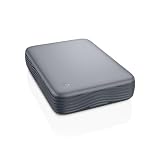
Spec line: 16TB · 3.5-in desktop HDD · USB 3.0 (5 Gbps) · Micro-B to USB-C cable · wall power adapter
- Capacity: 16TB, more than three times the WD Elements Portable 5TB
- Interface: USB 3.0 / USB 3.2 Gen 1, Micro-B port, USB-C cable on this version
- Power: needs the included AC adapter
PCWorld and PC Gamer both name the Seagate Expansion Desktop their best large-capacity pick for its low cost per terabyte.
Pros: very low cost per terabyte; room for years of photo, video and PC backups; 3.5-in drives sustain faster than 2.5-in portables.
Cons: needs an outlet; not portable; short US warranty (check the listing).
Skip it if… your backup set is under 4TB; a portable drive is simpler.
Hard Drive Comparison
The products below cover three categories: portable mechanical hard disk drives (HDDs) for higher-capacity storage, desktop HDDs for the largest libraries, and portable solid-state drives (SSDs) for speed, silence, and resistance to movement-related damage. The first eight rows use the specifications identified in the available product information; the final six rows add the extra picks from the sections above. Details such as warranty length, included cables, dimensions, encryption, software, operating-system formatting, and exact transfer performance should be confirmed on the current listing before purchase.
| Product | Drive type | Capacity | Interface | Notable compatibility or feature | Best fit | What to check | |
|---|---|---|---|---|---|---|---|
| Seagate 2TB Portable Hard Drive (STGX2000400) | Seagate Portable 2TB (STGX2000400) | Portable HDD | 2TB | USB 3.0 | Portable external storage | General backup and file storage | Operating-system support, cable type, warranty, and recovery coverage |
| UnionSine 500GB Ultra Slim Portable External Hard Drive | UnionSine 500GB Ultra Slim | Portable HDD | 500GB | USB 3.0 | Ultra-slim design | Small file libraries and occasional file transfers | Device compatibility, included cable, dimensions, and warranty |
| SanDisk 2TB Extreme Portable SSD (SDSSDE61-2T00-G25) | SanDisk 2TB Extreme Portable SSD | Portable SSD | 2TB | USB-C, USB 3.2 Gen 2 (per current listing title) | Read speeds up to 1050MB/s; IP65 water and dust resistance named in the listing title | Fast active projects and portable media work | Current availability, firmware, cable, compatibility, and warranty terms |
| Seagate Portable 1TB External Hard Drive (STGX1000400) | Seagate Portable 1TB (STGX1000400) | Portable HDD | 1TB | USB 3.0 | For PC, Mac, PlayStation, and Xbox; 1-Year Rescue Service stated in product name | Console expansion and modest backups | Console formatting requirements, recovery-service terms, and warranty details |
| LaCie Rugged USB-C 4TB (STFR4000800) | LaCie Rugged USB-C 4TB (STFR4000800) | Portable HDD | 4TB | USB-C | Drop, shock, dust, and rain resistant; for Mac and PC | Travel, field work, and outdoor storage | Exact resistance conditions, cable compatibility, warranty, and port requirements |
| Seagate Portable 4TB External Hard Drive (SRD0NF1) | Seagate Portable 4TB (SRD0NF1) | Portable HDD | 4TB | USB 3.0 | For PC, Mac, Xbox, and PlayStation; 1-Year Rescue Service stated in product information | Large media libraries and broad device compatibility | Console setup, rescue-service limitations, cable, and warranty |
| Seagate Portable 5TB External Hard Drive (STGX5000400) | Seagate Portable 5TB (STGX5000400) | Portable HDD | 5TB | USB 3.0 | For PC, Mac, PS4, and Xbox; 1-Year Rescue Service stated in product name | Maximum portable HDD capacity in this group | Current console support, rescue-service terms, cable, and warranty |
| Western Digital WD 5TB Elements Portable | WD 5TB Elements Portable (WDBU6Y0050BBK-WESN) | Portable HDD | 5TB | USB 3.2 Gen 1/USB 3.0 | For PC and Mac; plug-and-play ready | Simple high-capacity computer backup | Mac formatting, included cable, warranty, and backup software |
| Samsung T7 Portable SSD 2TB | Portable SSD | 2TB | USB 3.2 Gen 2 | Read speeds up to 1,050MB/s; optional password protection through Samsung software | Fast transfers and active projects | Host port speed, cable, and software setup | |
| WD 4TB My Passport (WDBPKJ0040BBK-WESN) | Portable HDD | 4TB | USB 3.1/USB 3.0 | Password protection with hardware encryption and WD backup software | Password-protected laptop backups | Set the password before use, since a lost password can make data unrecoverable; Mac users must reformat | |
| WD 8TB Elements Desktop (WDBWLG0080HBK-NESN) | Desktop HDD | 8TB | USB 3.0 | Needs its own power adapter; plug-and-play positioning | Large archives and home backups | Wall outlet, ventilation, and Mac reformatting | |
| Samsung T9 Portable SSD 2TB | Portable SSD | 2TB | USB 3.2 Gen 2×2 (20 Gbps) | Up to 2,000MB/s read; drop-resistant to 9.8 ft; AES 256-bit encryption; 5-year warranty | Fast projects on a PC with a 20 Gbps port | Macs run it at 10 Gbps; no IP water or dust rating | |
| WD_BLACK P10 Game Drive 4TB (WDBA3A0040BBK) | Portable HDD | 4TB | USB 3.2 Gen 1 (5 Gbps) | Up to 130MB/s; bus-powered; 3-year warranty; works with PlayStation, Xbox, PC, and Mac | Console game storage | Current-gen console games must be moved to internal storage to play; Micro-B cable | |
| Seagate Expansion Desktop 16TB | Desktop HDD | 16TB | USB 3.0 (5 Gbps) | Needs its own power adapter; Micro-B to USB-C cable per the listing | Whole-home and multi-PC backup | Wall outlet, warranty terms, and file-system format |
Best Pick by Need
Best for fast active projects
The Samsung T9 Portable SSD 2TB is the fastest drive in this guide, rated up to 2,000MB/s read, but it reaches that rate only on a PC with a 20 Gbps USB port; on a Mac or an older port it falls back to 10 Gbps. The Samsung T7 Portable SSD 2TB and the SanDisk 2TB Extreme Portable SSD are the 1,050MB/s alternatives. All three suit active files, project folders, and other work that involves frequent copying. Check the current firmware, included cable, and warranty terms before ordering. An SSD is not automatically a substitute for a backup: important files should still exist in another location.
Best for a rugged field workflow
The LaCie Rugged USB-C 4TB is the strongest match for travel, field production, and outdoor work because the product information specifically identifies resistance to drops, shock, dust, and rain. Its 4TB capacity is suited to larger photo, video, or project libraries than the 1TB and 2TB options. Confirm what conditions the resistance claims cover and whether the included cable matches the ports on your computer. Environmental resistance also does not make a drive safe to use while wet or protect it from every type of impact.
Best for the largest portable HDD capacity
Choose the Seagate Portable 5TB External Hard Drive or the WD 5TB Elements Portable when capacity is the priority and an HDD is appropriate. Both provide 5TB, but their stated positioning differs. The Seagate model lists compatibility with PC, Mac, PS4, and Xbox and includes a 1-Year Rescue Service in its product name. The WD model lists USB 3.2 Gen 1/USB 3.0 connectivity, PC and Mac support, and plug-and-play readiness. Compare the current listing details based on the devices you actually use.
Best for large mixed-device storage
The Seagate Portable 4TB External Hard Drive is a practical candidate for users moving files among computers and consoles. Its product information lists PC, Mac, Xbox, and PlayStation compatibility, along with a 1-Year Rescue Service. The 4TB capacity provides more room than the 1TB model without moving to the 5TB options. Before buying, verify whether a console will require reformatting, since a drive configured for one purpose may not remain readable by another device without changing its file system.
Best for console expansion with a smaller capacity
The Seagate Portable 1TB External Hard Drive is the focused choice for a smaller console expansion drive or a modest computer backup. The product information names PC, Mac, PlayStation, and Xbox support and identifies a 1-Year Rescue Service. Its limitation is capacity: game installations, captures, and large media files can consume 1TB sooner than expected. Check the console model, supported capacity, formatting instructions, and whether the drive is intended for installed games, media storage, or backup use.
Best for simple computer backup
The WD 5TB Elements Portable suits buyers who want a high-capacity drive described as plug-and-play ready for PC and Mac. That positioning favors uncomplicated file storage rather than a rugged field workflow or a high-speed editing drive. “Plug and play” does not guarantee that the drive is preformatted for every operating system, so Mac users should confirm the listed format and decide whether reformatting is needed. Reformatting can erase existing data, making setup order important.
Best for a slim, occasional file-transfer drive
The UnionSine 500GB Ultra Slim Portable External Hard Drive is the narrow-use option in this group. Its 500GB capacity and ultra-slim design make sense for documents, smaller media collections, or transferring a defined folder between devices. It is less appropriate for large libraries, full-system backup, or long-term growth because its capacity is lower than every other product listed here. Check the actual dimensions, supported platforms, cable, and warranty before treating its slim profile as a substitute for physical protection.
Best External Hard Drive by Capacity Tier
1TB to 2TB: student and laptop backup
- Seagate Portable 2TB (STGX2000400) · HDD · USB 3.0
- Seagate Portable 1TB (STGX1000400) · HDD · USB 3.0 · Rescue service
- Samsung T9 2TB · SSD · up to 2,000 MB/s
What to expect: enough for one laptop image plus photos; HDDs at this size cost little; SSDs cost several times more per terabyte.
4TB to 5TB: media libraries and console games
- WD 5TB Elements Portable · HDD · USB 3.2 Gen 1
- Seagate Portable 5TB (STGX5000400) · HDD · USB 3.0
- WD_BLACK P10 4TB · HDD · 3-year warranty
- LaCie Rugged USB-C 4TB · HDD · drop, dust and rain resistant
What to expect: best price per terabyte you can still carry; bus-powered; 5TB and 6TB are the largest common 2.5-inch portable sizes.
8TB and up: whole-home and multi-PC backup
- WD 8TB Elements Desktop · HDD · wall power
- Seagate Expansion Desktop 16TB · HDD · wall power
What to expect: lowest cost per terabyte; needs a desk and an outlet; keep a second copy off-site for files you cannot replace.
Setup and Care Tips
Choose the file system deliberately
A portable drive may work immediately with one operating system while requiring reformatting for another. Before changing the format, copy any existing files elsewhere. If the drive will move between Windows and Mac computers, research the file-system trade-offs first; compatibility, permissions, and write support can differ. Console use is a separate case because a PlayStation or Xbox may format the drive for its own storage requirements.
Use the correct cable and port
USB 3.0, USB 3.2 Gen 1, and USB-C describe connection standards or connector types that are not always interchangeable in practice. A USB-C drive may require a suitable cable or adapter for a computer with USB-A ports. Check whether the listing includes the cable you need and avoid assuming that a newer-looking connector guarantees the highest available transfer rate.
Let transfers finish before disconnecting
Use the operating system’s eject or safely-remove command before unplugging the drive. This reduces the risk of interrupting pending writes or damaging the file system. The same habit matters with consoles and cameras: exit the relevant application or menu before removing the drive.
Protect portable HDDs from movement
Mechanical HDDs contain moving components, so avoid dropping, shaking, or carrying one loose with hard objects. A padded sleeve can reduce everyday knocks, but it does not turn a standard HDD into a rugged drive. Even the LaCie model’s stated resistance should be treated as protection within the manufacturer’s conditions, not as permission to expose the drive unnecessarily.
Keep at least one separate backup
An external drive used as the only copy of a photo library, work archive, or family records is not a complete backup strategy. Maintain another copy on a second drive or another suitable location. Rescue services, where listed, are a recovery pathway rather than a guarantee that every file can be restored.
Plan for capacity growth
Usable capacity is lower than the advertised decimal capacity after formatting, and libraries tend to grow. A 500GB or 1TB drive may be adequate for a defined file set but restrictive for games, video, or system images. If replacing a drive is inconvenient, choose more headroom now rather than filling the device immediately.
Frequently Asked Questions
Is an external HDD or SSD better?
It depends on the job. An HDD is generally the more capacity-oriented choice in this comparison, while the SanDisk portable SSD is the speed-oriented option with read speeds listed up to 1050MB/s. Choose an SSD for frequently accessed active files and an HDD for larger storage needs when peak speed is less important.
Can I use these drives with both Windows and Mac?
Several listings identify PC and Mac support, including the Seagate portable models, the LaCie Rugged USB-C, and the WD Elements. However, compatibility also depends on formatting and the cable or adapter. Check the current instructions before reformatting, especially if the drive must be shared between systems.
Can I use a portable drive with PlayStation or Xbox?
The product information specifically lists console compatibility for several Seagate models. The 1TB model names PlayStation and Xbox, the 4TB model names Xbox and PlayStation, and the 5TB model names PS4 and Xbox. Console support can vary by generation and use case, so confirm the exact console model and whether the drive is intended for games, media, or backups.
Does USB 3.0 mean every drive transfers files at the same speed?
No. USB 3.0 identifies a connection standard, not a guaranteed sustained speed for the entire storage system. Mechanical HDDs and SSDs behave differently, and the computer, cable, file sizes, and workload also matter. The SanDisk listing provides a specific read-speed figure; the HDD listings do not provide comparable performance data here.
Is the SanDisk SSD suitable for backup?
Yes, an SSD can store backups, but the drive itself should not be the only copy. The SanDisk model is especially appealing when backups must move quickly or when files are accessed directly from the portable drive. Check firmware, support, availability, and current compatibility information before purchase.
What does a 1-Year Rescue Service mean?
The Seagate 1TB, 4TB, and 5TB product information identifies a 1-Year Rescue Service. The available data does not define the service’s eligibility, claim process, shipping rules, exclusions, or number of recovery attempts. Read the current service terms before treating it as a replacement for maintaining independent backups.
Do I need a rugged drive for everyday commuting?
Not necessarily. A standard portable HDD can be suitable if it stays protected in a bag and is handled carefully. The LaCie Rugged USB-C is the better match when the drive is routinely exposed to field conditions because its listing specifically mentions drop, shock, dust, and rain resistance. A sleeve and careful handling remain advisable either way.
What should I check before ordering?
Confirm capacity, drive type, connector and cable, operating-system support, console compatibility if relevant, warranty, recovery-service terms, dimensions, and the current return policy. Also verify that the exact model and revision match the listing, and whether the manufacturer’s stated features match your intended workflow.
How long do external hard drives last?
There is no guaranteed lifespan. Many portable and desktop HDDs give several years of service, but failure risk generally rises with age, heat, and rough handling. Treat any drive holding important files as replaceable: keep a second copy, check backups periodically, and plan to refresh older drives every few years. Warning signs include clicking or grinding noises, unusually slow transfers, and a drive that intermittently disappears from the computer. Portable SSDs avoid mechanical wear but still have finite write endurance and can fail without warning.
Is WD or Seagate more reliable?
Both are major hard drive manufacturers, and large-scale failure statistics published by data-center operators show that reliability varies more from model to model than from brand to brand. For an external drive, handling, heat, power, and whether you keep a second copy matter far more than the logo. Choose by capacity, features such as encryption or a recovery service, and price, then protect your data with a proper backup routine.
Should I buy a 1TB or 2TB external drive?
For most people, 2TB is the better value. The price gap between 1TB and 2TB portable drives is usually small, and 2TB leaves room for a full laptop backup plus several years of photos. A 1TB drive makes sense for documents, a modest photo collection, or a dedicated secondary copy of selected folders. If you shoot video, keep a game library, or back up more than one computer, look at 4TB or larger.
Do I need a USB-C external drive?
Not necessarily. Many drives with micro-B or USB-A connections work with USB-C computers through the correct cable or adapter. USB-C matters most when you want a single cable for a modern laptop, tablet, or phone, or when you are buying a fast SSD whose speed depends on a USB 3.2 Gen 2 or faster port. Check the connector on the drive, the cables included, and the ports on every device you plan to use.
Should I choose a portable or desktop external drive?
Choose a portable drive if it will travel, connect to a laptop, or plug into a console, since it draws power from the USB port. Choose a desktop drive if it will stay in one place for backups or media storage and you need more than 5TB, because desktop models offer much higher capacities and lower cost per terabyte. The trade-off is that desktop drives need a wall outlet and should not be moved while running.
Can I encrypt an external hard drive?
Yes. Some drives, such as the WD My Passport, include password protection with built-in encryption. For other drives, BitLocker To Go on Windows Pro editions and the encrypted format option in macOS Disk Utility can protect an external volume. Whichever route you use, store the password or recovery key somewhere safe, because losing it can make the data permanently inaccessible.
Final Verdict
There is no single best hard drive for every buyer in this group. The SanDisk 2TB Extreme Portable SSD is the speed-focused choice, while the LaCie Rugged USB-C 4TB is the clearest fit for field use and exposure to demanding conditions. For high-capacity HDD storage, the Seagate Portable 5TB and WD 5TB Elements offer the most room, with the Seagate listing adding named console compatibility and a 1-Year Rescue Service and the WD listing emphasizing PC/Mac plug-and-play use.
The Seagate Portable 4TB is a balanced option for mixed computer and console storage, and the Seagate Portable 1TB is better suited to smaller expansions or modest backups. The Seagate 2TB provides a middle-capacity portable HDD option, while the UnionSine 500GB makes the most sense when slim dimensions and a limited file set matter more than long-term capacity. Whichever model you select, confirm the current listing details and keep important files in more than one location.





